


Active
<script async src="https://api.srctk.com/tracker.min.js" data-site-key="YOUR_SITE_KEY"></script>
01
Install the snippet
Drop one script tag in your <head> or install via Google Tag Manager. Five minutes, no engineer required.
Capture the source, campaign, and touchpoints behind every form submission — then see what influenced revenue.
Form submission detected
Captured automatically by SourceTrack
Full Name
Company

Attribution Details
Captured automatically
Source
Google search
Medium
Organic
Campaign
Q3 Lead Gen
Landing page
brightpath.com/pricing
Keyword
brightpath demo
Device
Desktop
Location
San Francisco, CA

Source captured
Google Search / Organic
The attribution gap
Most form tools capture the submission but lose its source, campaign, and journey — leaving incomplete attribution and unclear revenue impact.
Form knows nothing about the visit
Tracking often starts at submission — not the first touch.
UTM data gets lost
Campaign data disappears on return visits or form changes.
Embedded forms break attribution
Cross-domain embeds can drop the original source.
Returning visitors look Direct
Valuable source data disappears before conversion.
A form fill isn’t revenue
Without the journey, you can’t connect leads to what they are worth.
The attribution difference
See what changes when every form submission carries the source, campaign, and touchpoints behind the conversion.
Journey
 ChatGPT
Journey · 6 touchpoints over 19 days


Illustrative product UI — not a live customer row.
Attribution stack
SourceTrack enriches every lead with the context behind the conversion so your team can understand who arrived, what influenced them, and what the lead is worth.
Form Builders
SourceTrack enriches every lead with the context behind the conversion so your team can understand who arrived, what influenced them, and what the lead is worth.

















Form submission detected
Captured automatically by SourceTrack
Full Name
Company
Attribution Details
Captured automatically
 SourceGoogle search
 MediumOrganic
 CampaignQ3 Lead Gen
 Landing pagebrightpath.com/pricing
 Keywordbrightpath demo
 DeviceDesktop
 LocationSan Francisco, CA
Source captured
Google Search / Organic
Analytics
Total Conversion
Total Revenue
Conversions Rate
Full Journey
Audit the full multi-touch discovery path before the form submission
Google Ads
First touch
10 May, 10:24 AM

Meta Ads
Day 2
19 May, 3:15 AM
Email Click
Day 4
24 May, 11:12 AM

LinkedIn Click
Day 6
28 May, 5:00 AM
Form Submit
Converted
30 May, 3:22 AM
Journey Summary
This lead was influenced by 4 touchpoints over 6 days before converting
How it works
SourceTrack detects submissions on native same-origin forms, captures the visitor’s journey, and packages it with the lead.
<script async src="https://api.srctk.com/tracker.min.js" data-site-key="YOUR_SITE_KEY"></script>
Drop one script tag in your <head> or install via Google Tag Manager. Five minutes, no engineer required.

SourceTrack detects submissions on native same-origin forms, captures the visitor’s journey, and packages it with the lead.
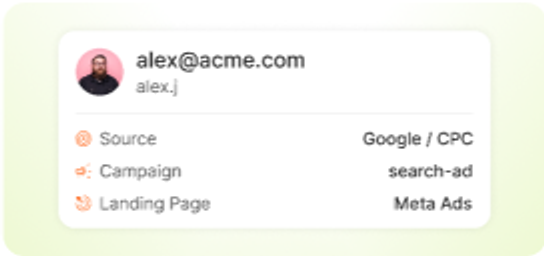
Within seconds the lead can reach your CRM with attribution fields populated — ready for routing, scoring, and reporting.
First-party attribution
Capture and preserve the marketing context behind every visitor so source, campaign, landing page, and click data stay connected through conversion.
First-party by default
Capture attribution on your own site without depending on third-party cookies.
Built for modern browsers
More resilient against cookie restrictions, blockers, and privacy changes.
Preserve the full context
Carry source, campaign, landing page, referrer, and click-ID data from first visit to form submission.

Capture attribution directly through your site without depending on third-party cookies.
 Google Ads
Sourcetrack captures and stores the attribution context on your own domain.

When the form submitted, the full context is attached to the lead
FAQ
Clear answers about form tracking, attribution, integrations, and how SourceTrack connects every submission to the marketing journey behind it.

Yes. Native, same-origin form submits are captured automatically — Webflow, WordPress, and custom HTML — with no form rebuilds or hidden UTM fields. Forms embedded in a cross-origin iframe (Tally, Typeform, and most HubSpot setups) are not visible to page scripts and need the form tool’s own webhook instead. The tracker records the browser’s submit event, which fires when the visitor submits, before your server confirms the lead.
Source, medium, campaign, landing page, referrer, and ad click IDs (gclid, fbclid, and related) from the visitor session — including AI referrers when present — attached at submit time.
Attribution rides on the visitor session, not a hidden field on the page. A Monday first touch still attaches when they submit on Thursday.
No. The script reads the session at submit. There are no fields to add, maintain, or re-add when you redesign a form.
Yes. Leads can sync with attribution context attached for routing, scoring, and reporting — without rewriting your CRM setup.
Same-origin builders that submit on your domain work out of the box. If the form runs in a cross-origin iframe, use that vendor’s webhook so the lead still carries SourceTrack context.
Start with one script tag. Keep your forms. Attach source, campaign, and journey to every lead.
Form submission detected
Captured automatically
Full Name
Company
Attribution Details
Captured automatically
Source
Google search
Medium
Organic
Campaign
Q3 Lead Gen
Landing page
brightpath.com/pricing
Keyword
brightpath demo
Source captured
Google Search / Organic


