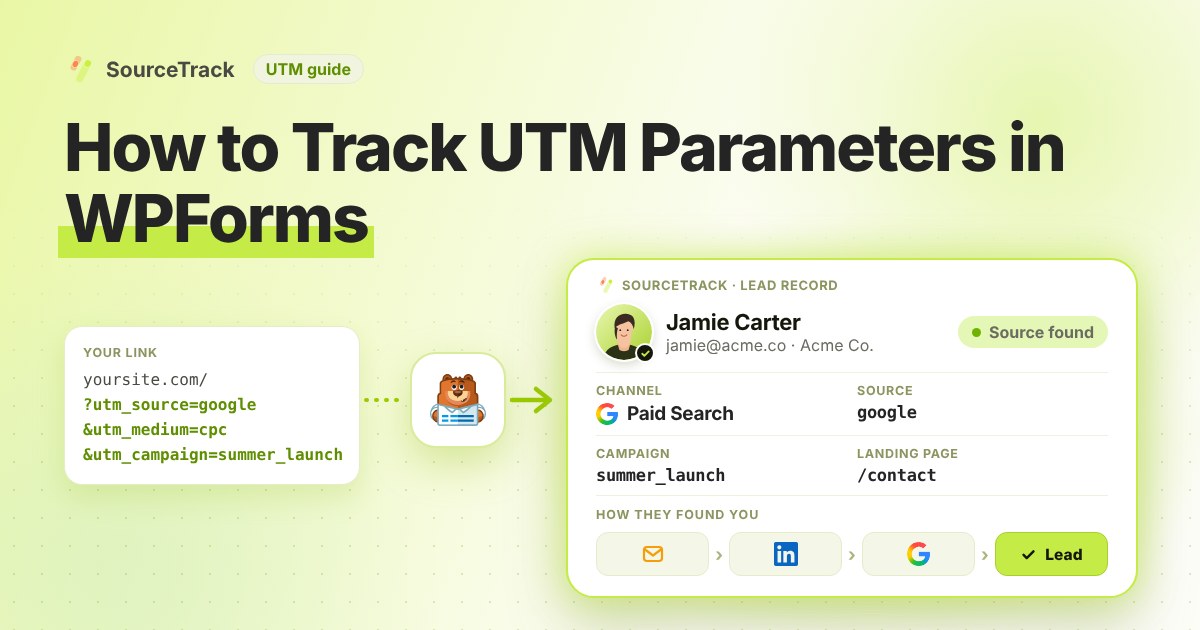
How to Track UTM Parameters in WPForms
See which campaign sent each WPForms lead. Add one script tag, no hidden fields, then test with a UTM link.
- Author
- SourceTrack Team
- Category
- Track UTM Parameters
- Read Time
- 05 Mins read
- Published Date
Inside the page
- Step 1: Add the script tag
- Step 2: Put your WPForms form on a page
- Step 3: Open a test link with UTMs
- Step 4: Look at the lead in SourceTrack
- How WPForms handles UTM parameters on its own
- What you will see
- What SourceTrack records for each WPForms lead
- Common problems and fixes
- Further reading
- Frequently asked questions
- Do I need hidden fields in WPForms?
- What if a visitor comes without a UTM link?
- Why did my test lead not show up?
- What if the visitor browses other pages before they reach the WPForms form?
- Can I see if a WPForms lead came from ChatGPT or Claude?
- Next step
A new WPForms message arrives. Which ad, email or post sent that person? This guide shows you how to find out. Add one script tag to your site, and SourceTrack links each WPForms lead to its source.
Step 1: Add the script tag
Copy your one script tag from SourceTrack. Paste it into the head of your website, once. The install guide shows where it goes. On WordPress, see the WordPress guide.
Step 2: Put your WPForms form on a page
Show your WPForms form on a page of your site as you normally do. SourceTrack captures a WPForms form that sits directly on your page. Do not add any hidden fields.
Step 3: Open a test link with UTMs
Open your page with UTMs on the end of the link, like this:
https://yourwebsite.com/contact?utm_source=test&utm_medium=email&utm_campaign=form_test
Open it in a new private window. If your browser sends Do Not Track or Global Privacy Control, SourceTrack respects that and will not track the visit. Fill in the form and send it.
Step 4: Look at the lead in SourceTrack
Open SourceTrack and find the new lead. Check that the source, medium and campaign match your test link.
How WPForms handles UTM parameters on its own
WPForms can read a value from the link through its smart tags. The WPForms smart tags documentation lists a {query_var key=""} tag, and says you can add a smart tag to a field’s Default Value from the Advanced tab of the field options. The manual route is a hidden field for each UTM tag, each with a query variable tag as its default value.
Here is where that route fails:
- Page caching. WPForms fills default values when the form is shown. Its smart tags page has no notes on page caching or CDNs, so check how your cache treats links with query strings, and test it with a real tagged link before you trust it.
- The visitor moves to another page. The value comes from the link of the page that shows the form. If the visitor arrives on your home page from an ad and then opens your contact page, the tags are gone.
- First touch against last touch. A hidden field keeps what the link said when the form loaded. It does not tell you the first source and the last source for the same person.
- Multi-step forms. Check the vendor documentation for how default values behave across the pages of your form. We did not find it stated on the smart tags page.
What you will see
Your test lead shows the source test, the medium email and the campaign form_test. You also see the page the visitor landed on. If you see these, WPForms is tracking UTMs for you.
What SourceTrack records for each WPForms lead
When someone sends a WPForms form on a page that has the script, the lead is linked to the visit that brought them. For each lead you can see:
- UTM parameters:
utm_source,utm_medium,utm_campaign,utm_contentandutm_term. - Ad click IDs:
gclidfor Google Ads,fbclidfor Meta Ads,msclkidfor Bing Ads andli_fat_idfor LinkedIn Ads. - Referrer and landing page: the site that sent the visitor and the first page they viewed.
- First touch and last touch: both appear in the lead’s touchpoint timeline, so you can compare what started the journey with what closed it.
- AI assistant referral: when the visit came from ChatGPT, Claude, Perplexity or Gemini, the lead shows which assistant it was.
The form name and the page address are saved with the lead as well. All of this comes from the visit, not from the form, so none of it needs a field in WPForms.
Common problems and fixes
Most missing leads come down to a short list of causes. Work through them in order.
- Nothing shows up at all. View the page source and check that the script tag sits inside the
<head>. Then open your browser’s developer tools, choose Network, filter bytrackand reload. A successful request means the script is running. The install guide shows where the tag goes, and the WordPress guide covers header plugins. - Do Not Track or Global Privacy Control is on. SourceTrack respects both. If your browser or an extension sends either signal, the tracker does not run, and your test visit will not appear. Test in a browser without them, or turn the setting off for the test.
- Caching or minify. After you paste the tag, clear your site cache. If a cache plugin bundles JavaScript, exclude
tracker.min.jsfrom minification and defer lists, then look for errors in the browser console. - The form is inside an iframe. A form in an iframe submits in its own frame, which the page script does not see. SourceTrack captures forms that sit directly on your page.
- The test looks wrong. Open your tagged link in a new private window, not a tab you used before, and open it directly rather than clicking through from another page on your site. The link needs the tags the first time the visitor arrives.
- Everything shows as Direct. The visit had no tags and no referring site. Tag the links you control. The troubleshooting guide explains why a visit can arrive without a referrer.
Further reading
- How to track UTM parameters in Fluent Forms: the same set-up for Fluent Forms.
- How to track UTM parameters in Webflow forms: the same set-up for a Webflow site.
Frequently asked questions
Do I need hidden fields in WPForms?
No. Once the script is on your site, SourceTrack captures WPForms forms that sit on your page. You do not change the form.
What if a visitor comes without a UTM link?
SourceTrack still looks at where they came from, such as a search engine or another website. If the link has no tags and the visit has no referring site, it shows as Direct. So tag the links you control, like emails, ads and social posts.
Why did my test lead not show up?
First, check that the script tag is on the page with the form. Second, try a private window that does not send Do Not Track or Global Privacy Control, because SourceTrack respects both. Then see the troubleshooting guide.
What if the visitor browses other pages before they reach the WPForms form?
The lead is still linked to the visit that brought them to your site, because SourceTrack reads the visit and not the page the form is on. The lead shows the first touch and the last touch, so the original ad or email is not lost when someone clicks from a landing page to your contact page.
Can I see if a WPForms lead came from ChatGPT or Claude?
Yes, where the visit came from an AI assistant such as ChatGPT, Claude, Perplexity or Gemini, SourceTrack shows that assistant as the source of the lead. You do not need a UTM tag for this.
Next step
Tag the links you share, then watch the leads come in. Learn the basics in how to track UTM parameters, read the install guide or the troubleshooting guide, or see how every tool connects.
Related Blogs
How to Track UTM Parameters: The Basics
Learn what UTM parameters are, how to build tagged links, and how to see which campaign sent each lead. Plain steps, no code.
SourceTrack Team
Attribution & Growth Engineering
20 Oct, 2026
How to Track UTM Parameters in Cal.com
See which campaign sent each Cal.com booking. Add one script tag to the page with your embed, then test with a UTM link.
SourceTrack Team
Attribution & Growth Engineering
20 Oct, 2026
How to Track UTM Parameters in Calendly
See which campaign sent each Calendly booking. Add one script tag to the page with your embed, then test with a UTM link.
SourceTrack Team
Attribution & Growth Engineering
20 Oct, 2026