GA4 Alternatives: Five Kinds and How to Choose
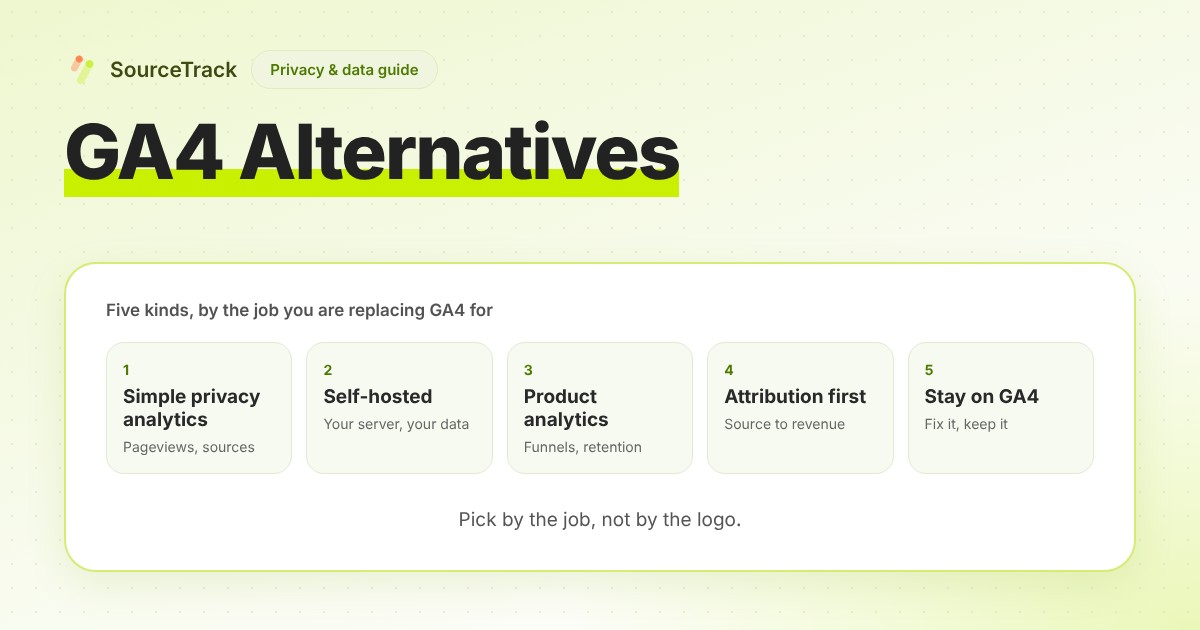
GA4 alternatives come in five kinds: simple privacy analytics, self-hosted, product analytics, attribution-first, or fixing GA4. Pick by the job.
- Author
- SourceTrack Team
- Category
- Privacy & Data
- Read Time
- 07 Mins read
- Published Date
Inside the page
- What are you replacing GA4 for?
- Which kind fits which job?
- Kind 1: what is simple privacy-focused web analytics?
- Kind 2: what does self-hosted analytics change?
- Kind 3: when is product analytics the right alternative?
- Kind 4: what is attribution-first analytics, and where does SourceTrack sit?
- Kind 5: can you stay on GA4 and fix it instead?
- What does cookieless analytics mean, and what do you lose?
- How do you migrate from GA4 without losing your footing?
- Frequently asked questions
- Is there a free GA4 alternative?
- Can I run GA4 and an alternative together?
- What does cookieless analytics lose?
- Does SourceTrack replace GA4?
- Which kind of GA4 alternative suits a small marketing team?
- Sources and how this was checked
- Next step
If you are looking at GA4 alternatives, the useful first question is not which tool but which job you want it to do. GA4 covers several jobs at once, and the tools that replace it each cover one or two. This guide sorts GA4 alternatives into five kinds, shows which kind fits which job, and says plainly where each one stops. If you want the head-to-head between GA4 and SourceTrack, that lives on the SourceTrack vs GA4 comparison.
What are you replacing GA4 for?
Pick the sentence that sounds most like you:
- “I want pageviews and top sources, without the complexity.” That is simple privacy-focused analytics.
- “I want the data on my own server.” That is self-hosted analytics.
- “I want funnels and retention for people using my product.” That is product analytics.
- “I want to know which source produced the lead or the sale.” That is attribution-first analytics.
- “GA4 is fine, it is just set up badly.” That is staying on GA4 and fixing it.
You may need more than one. The kinds do not exclude each other.
Which kind fits which job?
| Job | Kind that usually fits | What to check first |
|---|---|---|
| Pageview counts, top pages, referrers | Simple privacy-focused analytics | Whether it counts events and conversions, if you need them |
| Control over where the data lives | Self-hosted analytics | Who runs updates, backups and uptime. It is you |
| Funnels, retention, what users do after sign-up | Product analytics | Whether you need events from your app or only your website |
| Which source produced a lead or revenue | Attribution-first | Which sources it can see, and how it links a visit to a sale |
| Keep your history and your Google integrations | Stay on GA4 | Whether tagging, consent and exports are set up properly |
Kind 1: what is simple privacy-focused web analytics?
These tools show visits, pages, referrers and countries on one screen. Two examples, described in their own words:
- Plausible calls itself an “Easy to use and privacy-friendly Google Analytics alternative” and says “No cookies, just insights.”
- Fathom says “Fathom doesn’t use cookies” and describes “anonymous pageview tracking that doesn’t collect or store personal data.”
Both pages are marketing pages, so treat them as what each vendor says, not as an audit. Their pricing, limits, goal and event features and consent position are not covered here. Read each vendor’s own pages for those.
This kind fits when your questions are about traffic. It is a different job from knowing which source produced a sale.
Kind 2: what does self-hosted analytics change?
Self-hosting means the software runs on a server you control, so the data stays where you put it. The price is that you run that server: install, update, back up and keep it up.
- Umami says you can self-host it on your own infrastructure, or use Umami Cloud.
- Matomo says it can be hosted “on-premise or in the cloud” and that you can “self-host forever for free.”
If you choose this route, ask who on your team will own the server in a year. Whether a given self-hosted setup meets your legal obligations depends on how you configure it and on your own advice, not on the label.
Kind 3: when is product analytics the right alternative?
Product analytics answers questions about what people do inside a product: which step of a sign-up flow they drop at, whether they come back, which features they use. PostHog’s documentation says it lets you explore “adoption, conversion, and retention with trends, funnels, paths, stickiness, and lifecycle insights.”
That is a different job from website analytics. If most of your questions start after the visitor logs in, this is the kind to look at. If most start before, it may be more than you need.
Kind 4: what is attribution-first analytics, and where does SourceTrack sit?
Attribution-first tools are built around one question: which source produced the lead or the sale. They keep the source a visitor arrived from, link it to a form or payment later, and let you read the result under different credit rules.
SourceTrack is in this kind. It is lightweight analytics with attribution at the centre: it ties visits to leads and sales by source, offers ten attribution models on the same data, honours Do Not Track and Global Privacy Control, and has Cookieless Mode as an optional setting on every plan. Its limits are real:
- It is not a GA4 replacement for exhaustive event exploration or raw analytics debugging.
- It is not a privacy-analytics tool chosen only for pageview counts. If counts are all you need, a tool from kind 1 may fit better.
- If you need to run the software on your own server, look at kind 2. SourceTrack is used as a hosted service at app.sourcetrack.ai.
Revenue, where it appears, comes from payment webhooks or conversion values you send. Pricing lists a free plan, then $49/mo for up to 250,000 tracked pageviews and $79/mo for up to 1,000,000, with a 28-day free trial and no card. The SourceTrack vs GA4 page has the feature-by-feature detail, and the attribution page covers the models.
Kind 5: can you stay on GA4 and fix it instead?
Often, yes. Many complaints about GA4 trace back to setup. Three fixes are documented by Google, as read on 2026-10-26:
Tag your campaign links. Google’s UTM guidance says “you should always use utm_source, utm_medium, and utm_campaign” and that “Missing UTM parameters will result in (not set) values being present in reporting.” Untagged links also feed the Direct bucket; see what is direct traffic in GA4.
Set up consent mode if you use a consent banner. Google’s consent mode page says that when analytics_storage is denied, “cookieless pings are sent to Google Analytics,” and that Google uses them for “behavioral and conversion modeling.” It also says that if you block Google tags until consent is given, “you will not get modeled data in your Google Analytics property.”
Export raw events to BigQuery if you need your own queries. Google’s BigQuery export page says you can “export all of your raw events” to BigQuery and query them with SQL-like syntax. It lists a daily export limit of 1 million events for standard properties, and says exports that exceed the free sandbox limits incur charges.
If your numbers disagree with an ad platform, that is a separate problem; see why Google Ads and GA4 numbers don’t match. If you also use SourceTrack, GA4 dataLayer events such as purchase and generate_lead can be passed into SourceTrack through Google Tag Manager, so GA4 can stay in place while SourceTrack answers the source question.
What does cookieless analytics mean, and what do you lose?
Cookieless analytics means measuring visits without storing an identifier on the visitor’s device. Some tools set no cookies at all. Others also avoid keeping an ID in browser storage. What a tool does instead differs from one product to the next, so read its own explanation.
Two cautions. First, going cookieless does not remove the question of consent, and it does not by itself make a setup “compliant” with anything. Whether you need consent depends on the law where your visitors are and on what the tool does: what it stores or reads on the device, what it collects, and where it sends it. Ask your own adviser. Second, “no cookies” is a claim about storage, not about what else is collected.
What changes in practice:
| Capability | With a stored identifier | Without one |
|---|---|---|
| Source of a single visit (referrer, UTM tags, click id) | Kept | Kept |
| Recognising the same person across visits | Kept, on the same browser | Lost. Each visit stands alone |
| Returning-visitor counts | Kept | Returning visitors are counted as new |
| First-touch memory | Kept, on the same browser | Lost, unless passed forward another way, such as a hidden form field |
| Payments and sign-ups | Kept | Kept, because your server records them |
The full version of this trade-off, with a worked example, is in cookieless attribution for founders: what you lose, what you keep.
How do you migrate from GA4 without losing your footing?
This is advice, not a promise about any tool.
- Write down your questions. List what you actually look at in GA4 each week. Everything not on the list is a candidate to drop.
- Export what you will want later. If you need raw events, set up the BigQuery export above before you switch. It starts from the day you enable it.
- Keep your tagging rules. Use the same UTM naming in the new tool, so the sources line up.
- Run both for a few weeks. Put the new tool beside GA4 and compare answers to your questions. The totals will differ, so do not chase equality.
- Check what else reads GA4. If an ad account or report depends on it, move that first, or keep the tag.
- Switch when the new tool answers your list. Remove the old tag last.
For SourceTrack, the install guide and quickstart cover the one-script setup, and the demo shows the reports before you commit.
Frequently asked questions
Is there a free GA4 alternative?
Yes, in more than one kind. Self-hosting can avoid a licence fee, but you pay for the server and the time to run it. Matomo’s own site says you can self-host it for free, and Umami’s says you can self-host it on your own infrastructure. SourceTrack has a free plan for one site with 10,000 tracked events a month. For hosted tools, read each vendor’s pricing page, because plans change.
Can I run GA4 and an alternative together?
Yes. Two tags on one site is a common way to compare before you switch. Expect the totals to differ, because tools define sessions and visitors differently, filter bots differently and handle consent differently. Compare the answers to your questions, not the raw totals.
What does cookieless analytics lose?
It loses memory between visits. Without a stored identifier, visit one and visit three look like two people, returning-visitor counts drift up as new visitors, and first-touch memory depends on another way of passing the source forward. It keeps what a single visit carries: the referrer, UTM tags and click ids, and server-side records such as payments.
Does SourceTrack replace GA4?
Not for everything. SourceTrack is attribution-first lightweight analytics: it ties visits to leads and sales by source. It is not a replacement for exhaustive event exploration or raw analytics debugging. You can keep GA4 for that and use SourceTrack to answer which source produced the lead or the sale.
Which kind of GA4 alternative suits a small marketing team?
Start from the question you ask most often. If it is how many people visited and from where, simple privacy analytics is enough. If it is what logged-in users do, look at product analytics. If it is which source produced the lead or the sale, look at attribution. If you cannot name a question, GA4 may already be doing the job.
Sources and how this was checked
Statements about other tools come from their own official pages, as read on 2026-10-26. Anything those pages did not say is marked “not stated” or left out, and no tool is ranked or rated.
- Plausible: description and cookie statements.
- Fathom: cookie and pageview-tracking statements.
- Umami: self-hosting statement.
- Matomo: on-premise and cloud hosting statements.
- PostHog product analytics docs: insight types.
- Google: UTM parameters, consent mode, BigQuery export.
Vendor pages change. Check the current page before you decide.
Next step
Name the job you are replacing GA4 for, then try the kind that fits. If that job is finding which source produced the lead or the sale, start the 28-day free trial, no card needed.
Related Blogs
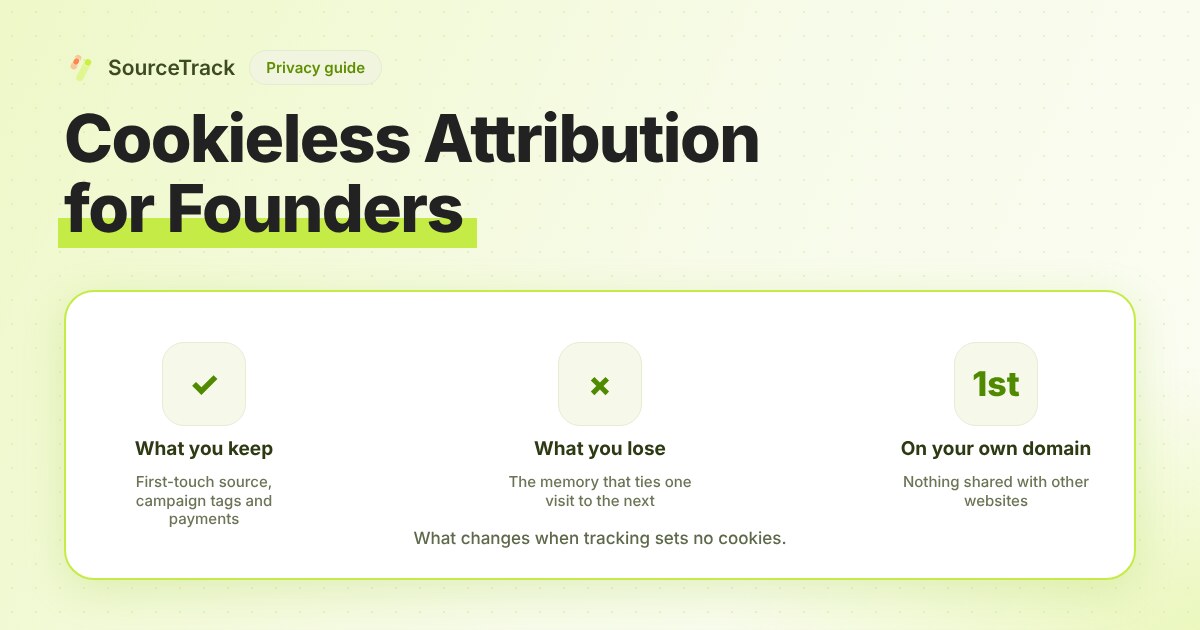
Cookieless Attribution for Founders: What You Lose, What You Keep
Dropping cookies costs you some identity and keeps most of your attribution. A table of what changes, plus a decision guide for small teams.
SourceTrack Team
Attribution & Growth Engineering
27 Jul, 2026
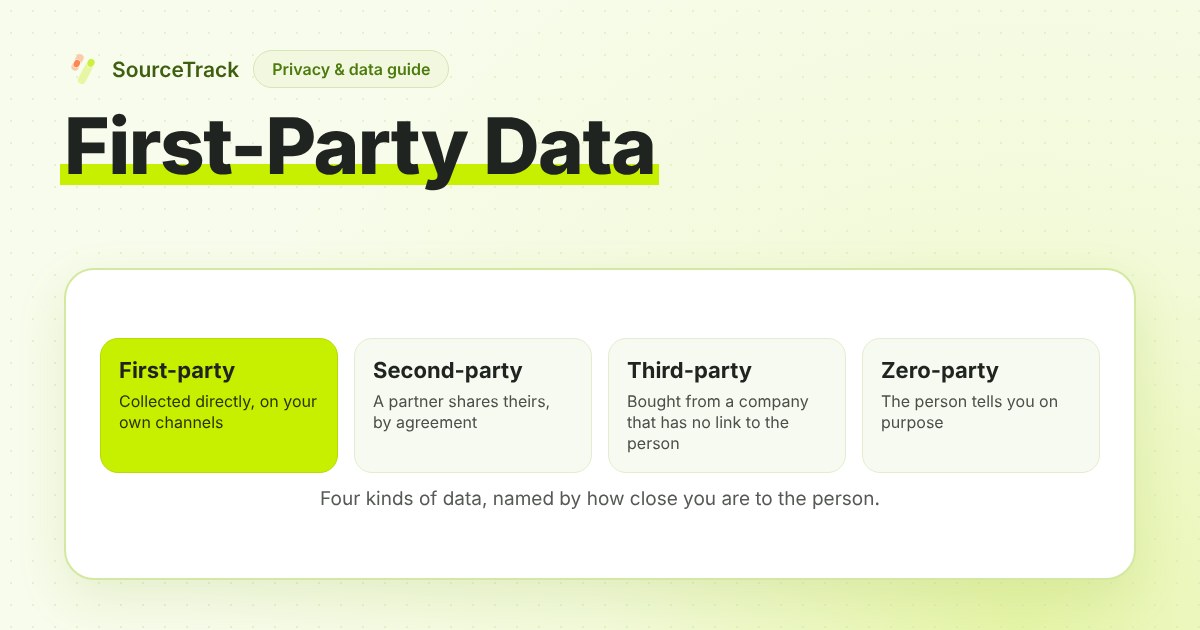
First-Party Data: What It Is, Examples and How to Collect It
First-party data is information you collect directly from your own audience. Definition, examples, how it differs from other data types, and how to collect it.
SourceTrack Team
Attribution & Growth Engineering
26 Oct, 2026
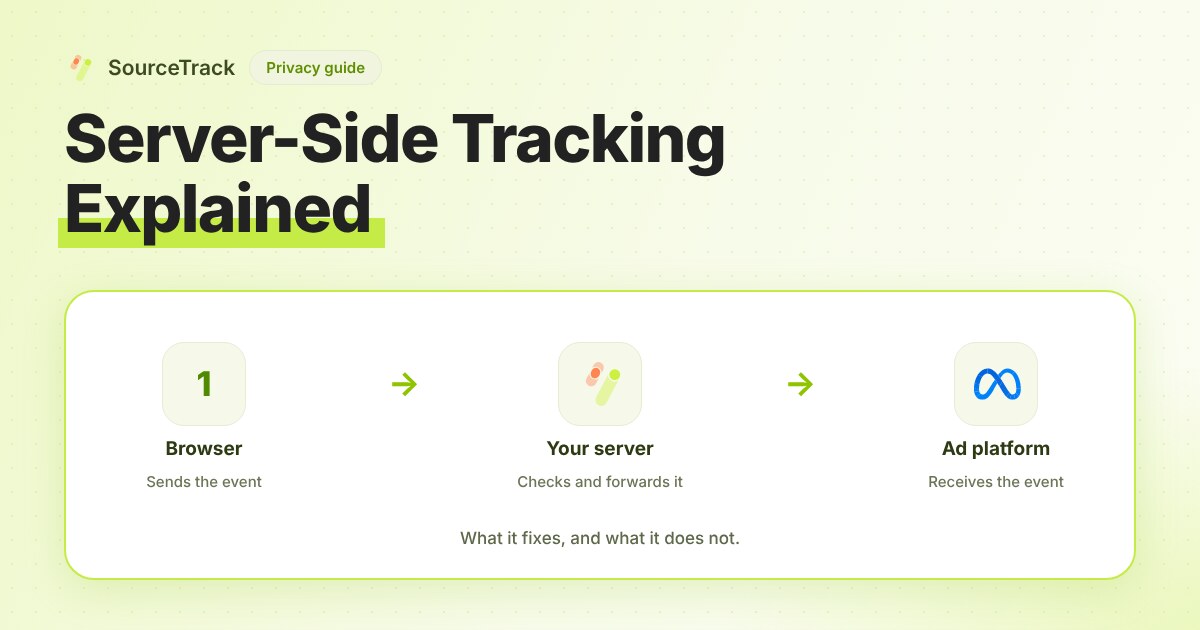
Server-Side Tracking Explained: What It Fixes and What It Does Not
Server-side tracking sends events from your server instead of the browser. What it fixes, what it cannot, and three set-ups compared.
SourceTrack Team
Attribution & Growth Engineering
20 Oct, 2026