First-Party Data: What It Is, Examples and How to Collect It
First-party data is information you collect directly from your own audience. Definition, examples, how it differs from other data types, and how to collect it.
- Author
- SourceTrack Team
- Category
- Privacy & Data
- Read Time
- 08 Mins read
- Published Date
Inside the page
- What is first-party data?
- What are examples of first-party data?
- First-party data vs third-party data: what are the four types?
- Are first-party cookies the same as first-party data?
- How do you collect first-party data?
- What are the limits of first-party data?
- How does SourceTrack handle first-party data?
- What should you do next?
- Further reading
- Frequently asked questions
- What is first-party data in simple terms?
- What is the difference between first-party and third-party data?
- Are first-party cookies the same as first-party data?
- What is zero-party data?
- Do I need consent to collect first-party data?
First-party data is information you collect directly from your own audience, through channels you run yourself: your website, your forms, your checkout, your CRM and your email. Because the visitor or customer dealt with you directly, you know where each record came from. That is what separates it from data bought from, or collected by, someone else.
What is first-party data?
First-party data is any record about a visitor, lead or customer that you gathered yourself, at the point of contact. Nobody sold it to you and nobody inferred it on your behalf.
Three ideas are packed into that definition:
- Collected directly. The person visited your site, filled in your form or paid you. You were a party to the exchange.
- From your own channels. Your website, your app, your checkout, your support inbox, your newsletter.
- With a known origin. You can say when and how each record was captured. You can delete it, correct it and explain it.
Some teams call it “customer data”, and the overlap is large. The difference is that first-party data also covers people who have not bought yet, such as an anonymous visitor who read three pages and left.
What are examples of first-party data?
Here are common first-party data examples, grouped by where they come from. This is an illustrative list for a small service business, not customer data.
| Source | What you collect | Why it is useful |
|---|---|---|
| Website analytics data | Pages viewed, landing page, referrer, UTM parameters, ad click id | Shows which channels send visitors and what they read |
| Forms | Name, email, company, what they asked for | Turns a visit into a lead you can follow up |
| Bookings | Time, meeting type, answers to screening questions | Shows who moved from interest to a conversation |
| Payments | Amount, product, date, customer email | Ties revenue to the people and channels behind it |
| CRM data | Lead stage, owner, notes, deal value, close date | Records what happens after the form |
| Subscribes, opens, clicks, replies | Shows who engages with what you send | |
| Support | Questions asked, issues reported | Shows where customers get stuck |
Each row is first-party data on its own. The value grows when rows are linked. A payment alone says someone paid. A payment linked to the visit that produced it says which link, search or campaign that visit came from.
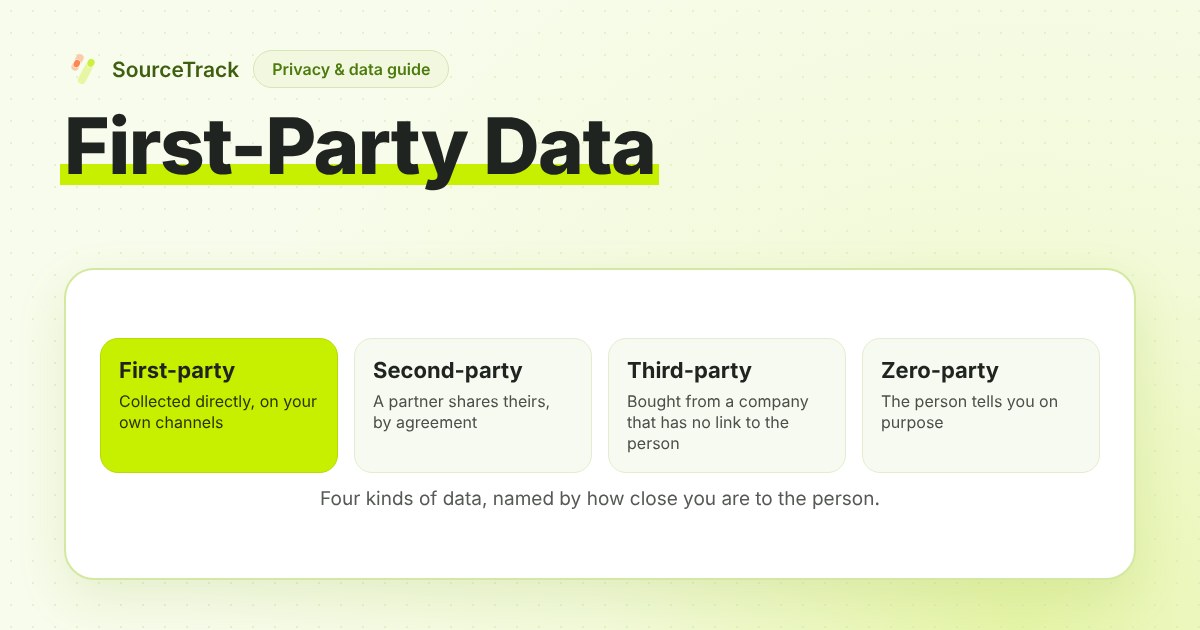
First-party data vs third-party data: what are the four types?
Data types are named by how close you are to the person. The comparison below uses the terms most marketers will meet.
| Type | Who collects it | How you get it | Example | Main limit |
|---|---|---|---|---|
| First-party | You | Directly from your audience on your channels | A form answer, a purchase, a visit to your site | Covers just the people who have dealt with you |
| Second-party | Another business, from its own audience | By agreement, as that business’s first-party data shared with you | A partner shares attendee lists from a joint webinar | Depends on the partner’s collection and the terms of the deal |
| Third-party | A company with no direct link to the person | Bought or licensed as a package | A purchased audience segment | You cannot check how it was gathered |
| Zero-party | You, but the person volunteers it | Asked for on purpose | A preference centre choice, a “what are you trying to solve?” field | As complete as people choose to make it, and no more |
A few notes on the table:
- Second-party data is simply someone else’s first-party data, passed to you under an agreement. Its quality is the partner’s, so ask how it was collected and what the person agreed to.
- Third-party data is the form most affected when browsers restrict third-party cookies. Some browsers already block them by default, and browser rules change, so check current behaviour rather than relying on an old summary.
- Zero-party data is usually treated as a subset of first-party. The person told you deliberately, rather than you watching what they did.
Are first-party cookies the same as first-party data?
No, and the two terms are often mixed up.
A first-party cookie is a technical thing: a small piece of data set by the domain the visitor is on. A cookie is a small file a website asks the browser to store, often used to recognise a returning browser. It is called first-party because it belongs to the site the person is visiting, not to an outside domain.
First-party data is a statement about the relationship: you collected it directly from your audience. The two overlap, since a first-party cookie can hold an id that links a visitor’s pages together. But they are independent:
- A form answer is first-party data and involves no cookie.
- A cookie set by your own site is a first-party cookie, but it is just an id until you record something against it.
- A cookie set by an advertising network and read across many sites is third-party, and data collected through it is not yours in the first-party sense.
In the same way, first-party tracking means the tracking script runs on your own domain and stores what it stores there. That is a choice about where collection happens. It says nothing about whether a visitor agreed to it.
How do you collect first-party data?
A small team does not need a data warehouse. It needs a handful of capture points and one way of linking them.
- Record the visit source. Capture the UTM parameters, referrer, ad click id and landing page for each visit. Tag your own links consistently; the UTM basics guide and the free UTM builder help. Untagged links, such as many email clicks, can end up filed as Direct.
- Pass the source into your forms. A form that stores the visit source next to the answers lets you read each lead’s origin later. See how to track lead source.
- Capture the booking and the payment. These are the outcomes. Keep the amount, the date and an id that can be matched back to the visit.
- Link them with one id. A first-party visitor id, stored on your own domain, is what lets a form, a booking and a payment be read as one person’s journey. Without a link, you hold separate lists.
- Ask for what you need on purpose. If you want a preference or a goal, put a question on the form. That is zero-party data and it is often the most direct kind.
- Write down what you collect. A one-page list of each data point, why you hold it, where it lives and how long you keep it. It makes deletion requests and privacy-policy updates much easier.
An illustrative example, not customer data. A consultancy tags a newsletter link with utm_source=newsletter and utm_medium=email. A reader clicks, reads a post, leaves, and returns directly three days later to book a call. If the visit and the booking share a visitor id, the booking carries the newsletter as its origin. If they do not, the booking reads as Direct and the newsletter gets no credit. The data was collected either way. The link decides whether you can use it.
What are the limits of first-party data?
First-party data is valuable, and it is easy to oversell. These are the honest limits.
It is as good as what you record. If the source is never captured, the form drops the tags, or the payment arrives without an id, the record is thin. A visit that is not recorded cannot be linked to anything later.
It covers just the people who dealt with you. You cannot learn from it about people who never visited, and you cannot see an ad that was viewed and not clicked, or a conversation between two colleagues. It tells you what happened on your channels, not why.
It does not prove cause. A record that a lead came from a search visit shows where they arrived from. It does not show that the search caused the sale. Any credit rule applied on top is a choice.
Linking is imperfect. A visitor id kept in the browser can be cleared, can age out under a browser’s storage rules, and does not follow a person from a phone to a laptop. A form or login that supplies an email can bridge some of those gaps, if the person supplies one.
Consent rules still apply. Collecting on your own domain does not by itself settle whether you need consent. That depends on what you collect, where your visitors are and how you store it. This is not legal advice; check your own situation with a qualified adviser, and keep your privacy policy matched to what you actually record.
It needs upkeep. Fields drift, forms change and old records go stale. Review what you hold on a schedule.
How does SourceTrack handle first-party data?
On your own domain, a visit’s source, a form submission, a booking and a payment are all first-party data. SourceTrack records the visit source (UTM parameters, ad click ids, referrer and landing page), and an anonymous first-party visitor id kept in the visitor’s browser storage on your domain links those records into one journey. The tracker can also be served from your own subdomain.
Payments from Stripe and Shopify can be tied to the visit that produced them, matched when the visitor id is passed at checkout. Revenue shows when a payment source sends it, and not otherwise, and links come from an id SourceTrack can read, not from guessed matches.
If you do not want a visitor id on the device, Cookieless Mode is a per-site setting that writes no cookies and keeps no visitor id in the browser. The trade is memory between visits, covered in the cookieless attribution guide. The standard tracker keeps that anonymous id on your domain, and neither setting answers the consent question for you. More on the analytics side is on the website analytics page.
What should you do next?
- List the first-party data you already hold: forms, payments, CRM, email. Note which records carry a source and which do not.
- Tag your links, then open one test journey in a private window and check that the source reaches the form.
- Decide how a form, a booking and a payment will be linked. A shared id is the simplest answer. If you use a CRM, closed-loop attribution explains how later stages flow back.
- Write the one-page data list described above, and have a qualified adviser check your consent approach.
- To try it on your own site, install the tracker with the quickstart and read how to track lead source for the form step. The 28-day free trial needs no credit card.
Further reading
- WebKit: Tracking Prevention in WebKit: how Safari limits third-party cookies and script-written storage.
- Third-party cookies explained: what they are and what Safari, Firefox and Chrome do with them.
- Free tracking audit: scan a site to see which tags run in the browser and which run on a server.
Frequently asked questions
What is first-party data in simple terms?
First-party data is information a business collects directly from its own visitors, leads and customers through channels it runs: its website, forms, checkout, CRM, email and support inbox. The person dealt with you directly, so you know where the data came from and under what terms. Examples are page visits, form answers, bookings and purchases.
What is the difference between first-party and third-party data?
First-party data comes straight from your own audience through your own channels. Third-party data is collected and packaged by a company that has no direct relationship with those people, then sold or shared. You can describe the origin of first-party data exactly. With third-party data, you depend on the seller’s description of how it was gathered.
Are first-party cookies the same as first-party data?
No. A first-party cookie is a storage mechanism: a small file set by the domain the visitor is on. First-party data is a description of the relationship: information you collected directly from your own audience. You can collect first-party data with no cookie at all, such as a form answer or a payment.
What is zero-party data?
Zero-party data is information a person chooses to tell you on purpose, such as a preference, a survey answer or a stated goal on a signup form. It is usually grouped with first-party data because you collect it directly. The difference is intent: they volunteered it, rather than you observing their behaviour.
Do I need consent to collect first-party data?
It depends on what you collect, where your visitors are and how you store it, and this is not legal advice. Collecting data on your own domain does not by itself settle the consent question. Check your situation with a qualified adviser, and keep your privacy policy accurate about what you record.
Related Blogs
Cookieless Attribution for Founders: What You Lose, What You Keep
Dropping cookies costs you some identity and keeps most of your attribution. A table of what changes, plus a decision guide for small teams.
SourceTrack Team
Attribution & Growth Engineering
27 Jul, 2026
GA4 Alternatives: Five Kinds and How to Choose
GA4 alternatives come in five kinds: simple privacy analytics, self-hosted, product analytics, attribution-first, or fixing GA4. Pick by the job.
SourceTrack Team
Attribution & Growth Engineering
26 Oct, 2026
Server-Side Tracking Explained: What It Fixes and What It Does Not
Server-side tracking sends events from your server instead of the browser. What it fixes, what it cannot, and three set-ups compared.
SourceTrack Team
Attribution & Growth Engineering
20 Oct, 2026